
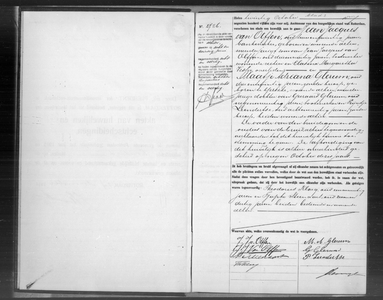
Marriage on in Rotterdam (Netherlands)
Father of groomMother of groom |
GroomTeunis Sijbes, born in Rotterdam, 22 years old BrideCornelia Petronella Bouterse, born in Rotterdam, 19 years old |
Father of brideMother of bride |

Source citation
Rotterdam City Archives in Rotterdam (Netherlands), Civil registration marriages
Burgerlijke Stand Rotterdam, huwelijksakten, Rotterdam, archive 999-06, inventory number 1915R, 27-10-1915, Nadere toegang op het huwelijksregister van de gemeente Rotterdam, folio r18v
Permalink https://hdl.handle.net/21.12133/FD5E3D132760459280159B3BC202DF06
This data was last updated on September 20, 2021 by the source holder and first published on Open Archives on August 5, 2015.
Internet address
- https://hdl.handle.net/21.12133/FD5E3D132760459280159B3BC202DF06
- https://www.openarchieven.nl/srt:726d0195-e7e4-9ba6-7e05-ee892cc44ffe
Scans of marriage supplements are - according to Open Archives - available through FamilySearch:
- Rotterdam, Huwelijksbijlagen 1915 akte 1486-2145
- Rotterdam, Huwelijksbijlagen 1915 akte 2836-3498
- Rotterdam, Huwelijksbijlagen 1915 akte 2146-2835
- Rotterdam, Huwelijksbijlagen 1914 akte 2981-3508; Huwelijksbijlagen 1915 akte 1-120
- Rotterdam, Huwelijksbijlagen 1915 akte 781-1485
- Rotterdam, Huwelijksbijlagen 1915 akte 121-780
- Rotterdam, Huwelijksbijlagen 1922 akte 4921-5402; Echtscheidingen 1912 v/a akte 222 vonnissen
Scan

Thank you, your comment has been saved.