Registration (from the period 1942-1996)

Registered


Extra information

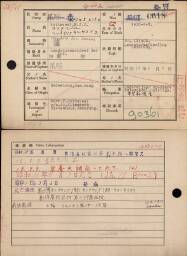
Volledige naamHendrik Jan Jacobus Rotteveel (ヘントリック ヤン ヤコブス ロッテベール)
NationaliteitNetherlands (蘭)
Rang(陸軍兵)
Stamboeknummer131803
Plaats gevangename爪哇; Java
Datum gevangename17/03/07; 1942/03/07
Beroep(中学校先生)
Opmerkingen90361
Kamp 1爪哇17/08/15; Java POW Camp 1942/08/15
Kamp 2泰; Thai POW Camp
Japans 1爪III (ジャワ俘虜収容所第3分所) 6618; No.3 Branch Camp of Java POW Camp 6618
Japans 2泰IV (タイ俘虜収容所第4分所)8320; No.4 Branch Camp of Thai POW Camp 8320
Andere informatieTransferred to No, 4 Branch Camp of Thai POW Camp on (no date), 1943; Died of malnutrition at 13:30 on 9 August 1943. Burial; Died on 9 August 1943. (JA77. P.4002); Fell ill on 2 March 1943; Place of death: No.2 Detached Camp of Thai POW Camp at Chungkai village, Kanchanaburi county, Kanchanaburi prefecture, Thailand; Disposal of remains: Burial. Buried in Chungkai cemetery (JA181); (昭和18年_月_日泰俘虜収容所第IV分所ヘ移管ス; 昭和18年8月9日 栄養失調にて死亡す (土)13時30分; 昭和18年8月9日死亡 (JA77. P.4002); 昭和18年3月2日発病; 死亡場所:泰国カンチャナブリー県カンチャナブリー郡チョンカイ村、泰俘虜収容所第2俘虜病院; 屍体処理:土葬 チョンカイ墓地に埋葬 (JA181);)

Source citation

National Archives, PoW cards
Min. van Binnenl. Zaken: Stamboekgegevens KNIL-militairen met Japanse Interneringskaarten 1942-1996, Den Haag, archive 2.10.50.03, inventory number 448

A research guide is available for this source


View on source website

Internet address

  • https://www.openarchieven.nl/ghn:caca467a-6e4b-4a6b-9f2c-71f995fca0bc

To have Open Archives automatically search for additional information and related documents, you must be logged in.


Comments

Are you the first person who provides additional information?


You are not logged in yet

Login
Not a subscriber? View subscriptions!

Scan

Scan

Click the image to zoom in or download the image

Find your ancestors and publish your family tree on Genealogy Online via https://www.genealogieonline.nl/en/

Report an error

There may be errors in the data of documents. Copying data from (scans of) originals is human work. But computers that can read handwriting can also make mistakes.

If you find an error in the data you are encouraged to report it so that this can be corrected in the source at the archival institution or association.

To use this feature, you need to login first.

Download as GEDCOM or PDF

If the information you find on Open Archives, is useful for your research, you can download it in PDF and GEDCOM format.

GEDCOM files can be imported into your family tree program. This way you do not need to type all the information in your family tree program.

To use this feature, you need to login first.

Mark document as favorite

You can add the documents you find on Open Archives that are useful for your research to your list of favorite documents. You can organize this list and when searching you will immediately see which documents are already on your list of favorite documents.

Favorite person entries can be downloaded in PDF format (ideal for printing) and GEDCOM format (ideal for reading into your family tree program).

To use this feature, you need to login first.

Add comment

Do you have additional information about the historical document? Then add it so that other researchers can benefit from it as well.

To avoid spam and invasion of privacy of living personas, comments are checked before being published.

To use this feature, you need to login first.

Automatically search for the children

Open Archives searches automatically, based on available records, for the children of couples.

If children are found, this will be indicated with a purple = sign (a gray = sign does not imply that there are children).

To use this feature, you need to login first.

Automatically search for the children

Open Archives searches automatically, based on available records, for the children of couples.

If children are found, this will be indicated with a purple = sign (a gray = sign does not imply that there are children).

To use this feature, you need to login first.

Automatically search for the children

Open Archives searches automatically, based on available records, for the children of couples.

If children are found, this will be indicated with a purple = sign (a gray = sign does not imply that there are children).

To use this feature, you need to login first.