
Registration (in the year 1875) in Borculo (Netherlands)
Registered
- Anna Maria Broshuis, born on December 11, 1875 in Borculo
Other registrants
- Cornelia Holstege, born in 1895
- Evert Holstege, born in 1892
- Johannes Geltink, born in 1891
- Gerrit Jan Holstege, born in 1890
- Johanna Aleida Broshuis, born in 1889
- Hendrika Holstege, born in 1888
- Derkje Holstege, born in 1883
- Arendina Broshuis, born in 1882
- Hendrik Holstege, born in 1880
- Meijer Meijers, born in 1880
- Jan Broshuis, born in 1873
- Femia Jellij, born in 1871
- Gerrit Jan Geltink, born in 1869
- Samuel Mainzer, born in 1869
- Salomon Mainzer, born in 1859
- Carolina van der Kamp, born in 1853
- David Meijers, born in 1851
- Sophia Costers, born in 1848
- Gerrit Jan Holstege, born in 1846
- Aaltjen Wonnink, born in 1846
- Johan Broshuis, born in 1845
- Bernard Mainzer, born in 1829
- Saai Mainzer, born in 1828
- Carolina Rosendaal, born in 1826
- Jannette Gompers
- Meijer Meijers

Source citation
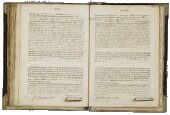
Heritage Achterhoek and Liemers, Population register
35, Doetinchem, archive 0340, inventory number 507, folio 103
This data was last updated on March 15, 2016 by the source holder and first published on Open Archives on April 21, 2016.
Internet address
- http://www.archieven.nl/nl/zoeken?mivast=26&miadt=26&miaet=54&micode=0340-507&minr=1054091&miview=ldt
- https://www.openarchieven.nl/eal:3fb16d5b-0249-6edb-4d53-4edfb1cb87c1
Scan

Thank you, your comment has been saved.