
Registered
Other registrants
- Christinus Herman Lammers, born in 1925
- Everdina Wilhelmina Lammers, born in 1923
- Theodora Obbink, born in 1919
- Luisa Lauret, born in 1912
- Gertrud Weige, born in 1912
- Johannes Bernardus Schepers, born in 1909
- Henricus Joannes H. de Wilde, born in 1906
- Elisabeth Mäkeling, born in 1906
- Johan Lammers, born in 1904
- Swerus Everhardus Coersen, born in 1902
- Jansje Gerharda Lammers, born in 1899
- Berend Hendrik Lammers, born in 1895
- Dirk Los, born in 1895
Source citation
Heritage Achterhoek and Liemers, Population register
67, Doetinchem, archive 0105, inventory number 1107, folio 192
This data was last updated on March 25, 2016 by the source holder and first published on Open Archives on April 22, 2016. Provenance information: MI bestand NL-DtcSARA_0105-1107_54_MI.xml van EAL.
Internet address
- https://www.archieven.nl/nl/zoeken?miadt=26&miaet=54&micode=0105-1107&minr=2139226&miview=ldt
- https://www.openarchieven.nl/eal:20ac02a8-d416-537b-39ee-95e2b12c7fc6
The data above was used to search for more related information, the results:
Are you the first person who provides additional information?
Scan
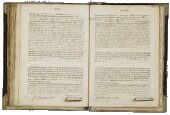
 Click on the image to view the scan of this document at the archive.
Find your ancestors and publish your family tree on Genealogy Online via https://www.genealogieonline.nl/en/
There may be errors in the data of documents. Copying data from (scans of) originals is human work. But computers that can read handwriting can also make mistakes.
If you find an error in the data you are encouraged to report it so that this can be corrected in the source at the archival institution or association.
You can add the documents you find on Open Archives that are useful for your research to your list of favorite documents. You can organize this list and when searching you will immediately see which documents are already on your list of favorite documents.
Favorite person entries can be downloaded in PDF format (ideal for printing) and GEDCOM format (ideal for reading into your family tree program).
To use this feature, you need to login first.
Did you know that you can download the document data?
If you are logged in, you can download the data from the historic document by clicking the Download data button and choosing the desired format: GEDCOM or PDF.

Thank you, your comment has been saved.