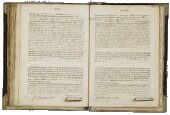
Registration (in the year 1886) in Eibergen (Netherlands)
Registered
- Gerrit Jan Naves, born on August 26, 1886
Other registrants
- Antonia Gesina Naves, born in 1920
- Johanna Gesina Naves, born in 1919
- Janna Engelberta Naves, born in 1917
- Theodorus Wilhelmus Vaarwerkte, born in 1917
- Aleida Berendina Naves, born in 1916
- Johanna Frederika Vaarwerkte, born in 1915
- Gerhardus Joannes te Vaarwerk, born in 1913
- Theodora Aleida te Vaarwerk, born in 1911
- Wilhelmina Johanna te Vaarwerk, born in 1909
- Jacoba Maria te Vaarwerk, born in 1908
- Maria Aleida te Vaarwerk, born in 1906
- Johannes Hendricus te Vaarwerk, born in 1905
- Hendrik Wagner, born in 1888
- Janna Berendina te Kronnie, born in 1887
- Johanna Theodora Bosker, born in 1882
- Maria Lamers, born in 1876
- Johannes Bernardus te Vaarwerk, born in 1862
- Aleida Bennink, born in 1855
- Johannes Albertus Hoebinck, born in 1849

Source citation
Heritage Achterhoek and Liemers, Population register
124, Doetinchem, archive 0024, inventory number 1751.7, folio 38
Internet address
- https://www.archieven.nl/nl/zoeken?miadt=26&miaet=54&micode=0024-1751.7&minr=1349921&miview=ldt
- https://www.openarchieven.nl/eal:02fa09e4-c4f5-db19-e85b-e4be9e9afd81
To have Open Archives automatically search for additional information and related documents, you must be logged in.
Scan